How to Create an Airbnb Digital House Manual That Guests Will Use
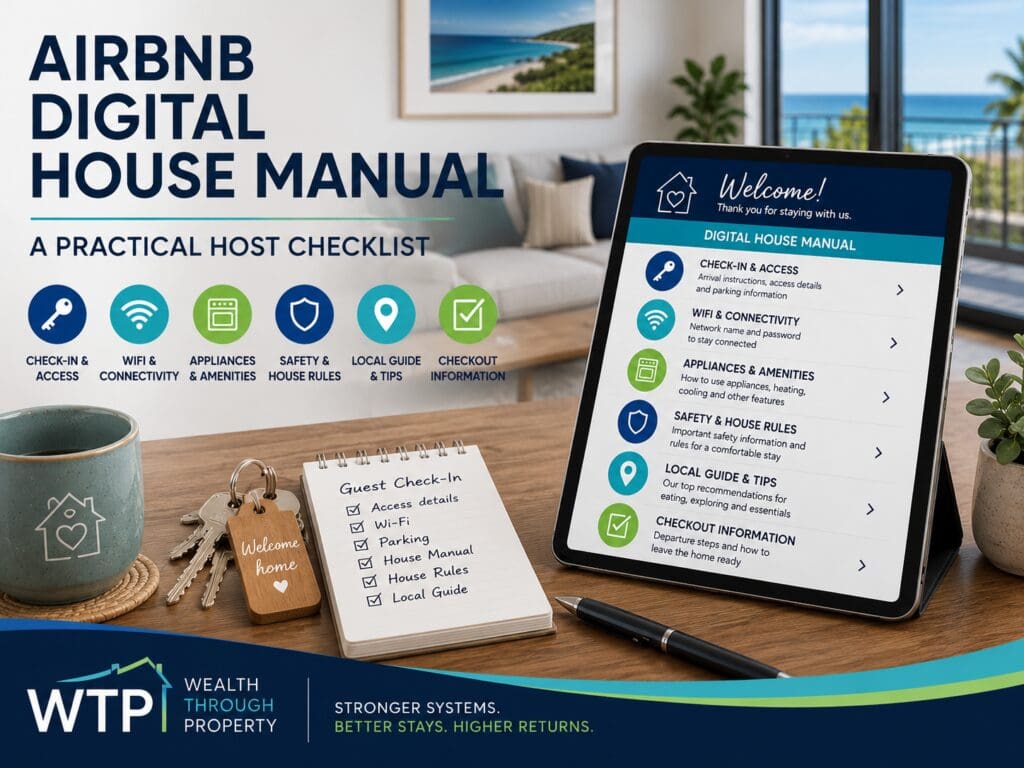
An Airbnb digital house manual is a mobile-friendly guest guide covering arrival, access, Wi-Fi, appliances, safety, house rules, local tips and checkout. Build it around the guest journey, keep permanent access codes out of it, test it on a phone and review it whenever the property, equipment or booking process changes.
A useful Airbnb digital house manual gives guests the right information at the right time. It can make arrival easier, explain how the property works, reduce avoidable questions, reinforce important expectations and help the hosting team deliver a more consistent guest experience.
SLScott LevouneFounder, Wealth Through PropertyUpdated 30 Oct 2026•18 min read•✓ Facts checked against official sources
An Airbnb digital house manual should follow the guest journey from booking and arrival through to using the property and checking out. Prioritise clear instructions, verified information, mobile-friendly navigation and secure handling of access details. Review it whenever the property changes.
Build It Around the Guest Journey
Organising the manual around when guests need information makes it easier to navigate during a real stay. Group the content into four stages: before arrival, on arrival, during the stay and before departure. Guests can then jump straight to the stage they are in instead of searching one long document.
1Before arrival: Explain what guests need to confirm, prepare or bring.
2On arrival: Make access, parking and the first few minutes easy.
3During the stay: Cover Wi-Fi, appliances, amenities, safety, rules and local information.
4Before departure: Provide a short, reasonable and clearly prioritised checkout list.
What an Airbnb Digital House Manual Should Achieve
A digital house manual is the central reference point for information guests may need before and during their stay. It should help them understand how to arrive, where to park, how to connect to the internet, how important appliances work and what to do when they need assistance.
It also helps the host create a more consistent operating process. Instead of rewriting the same instructions for every booking, the hosting team can direct guests to one organised resource and update that resource whenever the property, equipment or operating process changes.
A house manual should support guest communication. It should not be used to hide essential information inside a long document.
Time-sensitive details should still be reinforced through the appropriate pre-arrival and check-in messages. The manual then provides the fuller explanation guests can refer to when they need help during the stay.
A useful manual should help with five outcomes
Smoother arrivalGuests know where to go, where to park and how to enter without unnecessary confusion.
Fewer repeated questionsCommon answers are easy to find without making the guest search through old messages.
Safer property useImportant equipment, amenities and property-specific risks are clearly explained.
Clearer expectationsGuests understand important house rules and checkout responsibilities.
Consistent operationsHosts, virtual assistants and managers work from the same approved information.
Better local guidanceGuests can quickly find practical services, food options and suitable activities.
Plan the Structure Before Writing the Manual
Before writing individual instructions, decide how the manual will be organised. A guest who is standing outside the property should not have to scroll past restaurant recommendations to find the entry instructions. Likewise, a guest trying to use the oven should not need to search through the checkout section.
Start with the situations most likely to create stress or questions. These commonly include arrival, access, parking, Wi-Fi, heating and cooling, entertainment systems, special amenities, rubbish, local essentials and checkout.
A practical manual structure
Welcome and property overview.
Before-arrival information.
Check-in, access and parking.
Wi-Fi and communication.
Heating, cooling and appliances.
Property amenities and outdoor areas.
Safety information and urgent support.
House rules and neighbour considerations.
Local essentials and recommendations.
Rubbish, recycling and property care.
Checkout instructions.
Frequently asked questions.
Use clear headings that describe the guest's question. A heading such as “How to use the spa” is generally easier to understand than a vague heading such as “Relaxation information”.
Design for quick answersGuests may open the manual while carrying luggage, standing at the front door or trying to operate unfamiliar equipment. Make the most important answer visible within a few taps.
Start With a Short Welcome and Property Overview
Open the manual with a brief welcome that confirms the property name and helps guests recognise that they have reached the correct guide. A sentence or two about the home can add personality, particularly when the property has a meaningful story, distinctive location or memorable feature.
Keep the introduction short. Guests opening the manual on arrival are usually looking for practical information rather than a long property history.
Useful information for the opening section
Property identityConfirm the property name and general location without publishing sensitive access information.
Host contact pathwayExplain the preferred method for routine questions and how urgent property issues should be reported.
Manual navigationShow guests where to find arrival, Wi-Fi, appliance, safety, local and checkout information.
A contents menu or clearly labelled navigation system can be especially helpful for larger homes with pools, spas, fireplaces, multiple entertainment systems or several outdoor areas.
Prepare Guests Before They Travel
The manual can begin helping the guest before they reach the property. A short pre-arrival section can explain what is supplied, what is not supplied, whether guests should bring specialist items and which details need to be confirmed before check-in.
This is particularly useful for properties with unusual access conditions, limited parking, steep driveways, boat parking, shared entrances, rural roads, water restrictions, septic systems, fireplaces, pools or pet requirements.
1Confirm the booking: Remind guests to check the approved guest count, pet approval and booking dates.
2Explain what is supplied: Clarify linen, towels, toiletries, kitchen basics, firewood or beach equipment where relevant.
3Flag access conditions: Mention stairs, narrow driveways, unsealed roads or other practical arrival considerations.
4Set communication expectations: Tell guests when booking-specific access details will be sent and where to find them.
Avoid overwhelming the guest with information too early. The pre-arrival section should focus on details that could affect whether they arrive prepared.
Make Check-In, Access and Parking Instructions Easy to Follow
Arrival is one of the moments when unclear instructions create the most stress. Explain where guests should go, how they can identify the entrance, where approved vehicles may be parked and what first step they should take after arriving. Keep each step short and test the instructions on a phone.
Use numbered steps where the access process involves a gate, building entrance, lift, lockbox or smart lock. Photos can help when entrances are difficult to identify, but they should be current and should not expose sensitive details to people who do not have an active booking.
A strong arrival section may include
The correct property entrance and street approach.
Approved parking locations and areas guests must keep clear.
Instructions for gates, building entrances or shared access points.
How to locate the lockbox, keypad or key collection point.
What to do if the access method does not work.
How to secure the property after entering.
Any first-arrival steps, such as switching on a hot-water or power system where it is required.
Keep access details secureDo not place permanent door codes, alarm codes or sensitive access details in a publicly available manual. Send booking-specific information through an appropriate secure guest communication process.
Check-in times, early-arrival requests and luggage arrangements should reflect the property's actual cleaning and operating process. Avoid promising flexibility until the booking schedule and turnover team have been checked.
Separate Evergreen Information From Booking-Specific Information
One of the most useful improvements a host can make is to separate general property information from information that changes between bookings. This makes the manual easier to maintain and reduces the risk of sensitive details being shared too widely.
Evergreen manualAppliance instructions, property layout, safety equipment, general rules, amenities, local guidance and checkout processes.
Booking-specific messageUnique access codes, confirmed arrival time, guest-specific approvals, special arrangements and temporary maintenance notices.
Internal operations guideOwner, cleaner, maintenance and manager procedures that should not be visible to guests.
Keeping these information types separate prevents the guest manual from becoming an internal operations document. It also makes it easier to update a code, contact or temporary instruction without rewriting the whole guide.
Create Simple Appliance and Amenity Guides
Guests should not need to experiment with an unfamiliar oven, air conditioner, coffee machine, television or spa. Provide short instructions for appliances that are important to the stay or regularly generate questions.
Each guide should explain how to start the device, the normal setting guests are most likely to need and what to do if it does not respond. Include the exact model only when it helps guests identify the correct instructions.
1Wi-Fi: Explain how guests can find the network and obtain the current password securely.
2Heating and cooling: Show the basic controls and any reasonable operating limits.
3Kitchen appliances: Cover equipment that differs from familiar household appliances.
4Entertainment: Explain television inputs, remotes, streaming access and sound systems.
5Special amenities: Provide clear operating and safety instructions for spas, pools, fireplaces or similar features.
Use a consistent instruction format
For each appliance or amenity, use the same simple sequence:
What the item is and where it is located.
How to turn it on.
The normal setting most guests will need.
What not to do.
How to turn it off safely.
What to check before contacting the host.
Short property-specific videos can help when written instructions are difficult to follow. Test every link after publishing and avoid sending guests to generic instructions that do not match the equipment in the home.
For the physical items that support these systems, use the Airbnb setup checklist to review whether the property provides the small essentials guests expect.
Add Troubleshooting Without Turning Guests Into Technicians
Basic troubleshooting can help resolve simple problems quickly, but guests should not be asked to perform technical work, move heavy equipment, access electrical systems or undertake anything unsafe.
Provide only low-risk checks that a typical guest can complete. For example, they may be able to confirm that a remote has batteries, check whether a wall switch is on or reconnect to the correct Wi-Fi network.
Use a clear stopping pointAfter one or two simple checks, tell the guest how to contact the host or manager. Long troubleshooting lists can increase frustration and delay maintenance support.
Where an amenity is temporarily unavailable, update the guest communication and manual promptly. Do not leave outdated instructions active when equipment has been removed, replaced or disconnected.
Include Safety Information and a Clear Help Process
Explain where guests can find safety equipment and how they should report urgent maintenance, security or property problems. Relevant information may include smoke alarms, fire extinguishers, first-aid supplies, emergency exits, pool barriers and property-specific hazards.
All addresses, contact details and local service information must be verified before the guide is published. Review them regularly, particularly when service providers, property managers or emergency contacts change.
Separate three types of assistance
Routine questionsWi-Fi, appliance use, local recommendations, rubbish or general property information.
Urgent property issuesWater leaks, loss of essential services, lockouts, security concerns or serious maintenance problems.
EmergenciesSituations involving immediate danger, serious injury, fire or another emergency requiring the appropriate emergency service.
Do not copy placeholder telephone numbers, fictional medical facilities or unverified emergency details from a template. A concise manual containing correct information is safer than a detailed manual containing assumptions.
Explain House Rules Without Creating an Unreadable Rulebook
House rules should focus on behaviours that protect guests, neighbours and the property. Common topics may include approved guest numbers, visitors, noise, smoking, pets, parking, rubbish, shared areas and the correct use of special amenities.
Place the most important rules near the top of the relevant section. Use direct language and explain the practical reason behind a rule when that context will help guests follow it.
The digital manual should remain consistent with the booking platform, rental terms and pre-arrival messages. Conflicting instructions create uncertainty and can make a dispute harder to resolve.
Clear expectations work better when guests see them before arrival, understand them during the stay and are not surprised by them after booking.
Make rules easier to follow
Group related rules together instead of creating one long list.
Put safety and neighbour-impact rules before minor preferences.
Avoid vague wording such as “be respectful” without explaining the expected behaviour.
Do not introduce significant new restrictions after the guest has booked.
Review pet, pool, fireplace, balcony and parking rules separately where relevant.
Add a Useful Local Guide, Not a Generic List
A local section can improve the stay by helping guests find groceries, coffee, takeaway, restaurants, beaches, attractions and practical services. Recommendations are more useful when they include a short explanation of why the place may suit the guest.
Organise recommendations by need or type instead of presenting one long list. Useful groups may include essentials, family activities, wet-weather options, food, outdoor activities and nearby day trips.
Useful local-guide categories
First-night essentialsGroceries, takeaway, fuel, pharmacies and other practical stops.
Food and coffeeA small number of useful options for different budgets or group needs.
Families and groupsActivities that work for children, teens, mixed-age groups or larger bookings.
Outdoor activitiesBeaches, walks, lookouts, cycling, wildlife or water-based activities where relevant.
Local conditionsOfficial sources for current access, weather, safety, pet or event information.
Avoid publishing opening hours, access rules, pet rules, prices or event details unless they can be kept current. Where information changes regularly, link to the official operator or council source and remind guests to check before travelling.
Design the Manual for Mobile Use and Accessibility
Most guests are likely to open the manual on a phone. The guide should therefore be easy to read without zooming, excessive scrolling or downloading large files.
Use short paragraphs, meaningful headings and descriptive link text. Avoid relying on colour alone to communicate an important warning, and provide text explanations for icons or images that carry essential information.
1Mobile testing: Open the guide on several screen sizes before sharing it with guests.
2Readable language: Use short sentences and avoid unnecessary technical terminology.
3Descriptive links: Tell the guest where a link goes instead of using vague wording such as “click here”.
4Image support: Add captions or explanations when an image contains important instructions.
5Language needs: Consider translated key instructions where the guest profile makes this useful.
A printed quick-reference card can support guests who have limited internet access or difficulty opening the digital guide. Keep the printed version brief and direct guests to the current digital manual for full information.
Connect the Manual to the Guest Messaging Journey
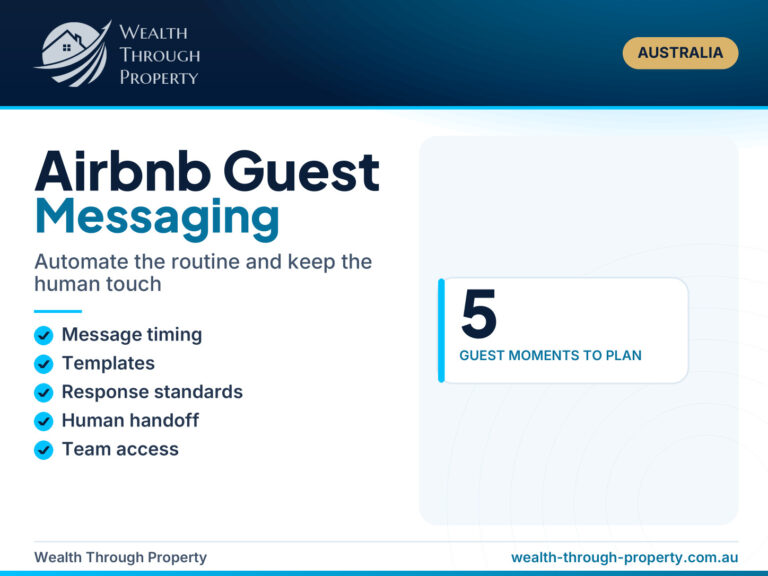
The manual should work alongside the property's communication schedule. Sending the same long block of information in every message can make important details easier to miss.
Instead, match each communication to the guest's stage in the journey and link to the relevant part of the manual when more detail is useful.
1After booking: Confirm the reservation and explain when arrival details will be provided.
2Before arrival: Share travel preparation, parking and check-in timing information.
3Check-in day: Send the secure access information and the direct link to the arrival section.
4During the stay: Point guests to appliance, amenity, local or troubleshooting sections when relevant.
5Before checkout: Reinforce the departure time and link directly to the checkout checklist.
This approach keeps messages shorter while still giving guests access to detailed property information.
Keep Checkout Instructions Short and Reasonable
Checkout instructions should help guests leave the property secure and allow the turnover team to begin work without confusion. State the confirmed departure time and list the tasks guests need to complete.
Separate essential actions, such as securing the property or returning keys, from optional requests. Avoid presenting a long cleaning list that conflicts with the cleaning fee or creates a poor final impression of the stay.
1Secure the property: Explain which doors, windows, gates or key systems need attention.
2Personal belongings: Remind guests to check storage areas, chargers and outdoor spaces.
3Rubbish and dishes: Make only the requests that match the property's published checkout expectations.
4Report problems: Ask guests to mention breakages or maintenance issues promptly rather than hiding them.
5Return access items: Explain where keys, remotes, passes or permits should be left.
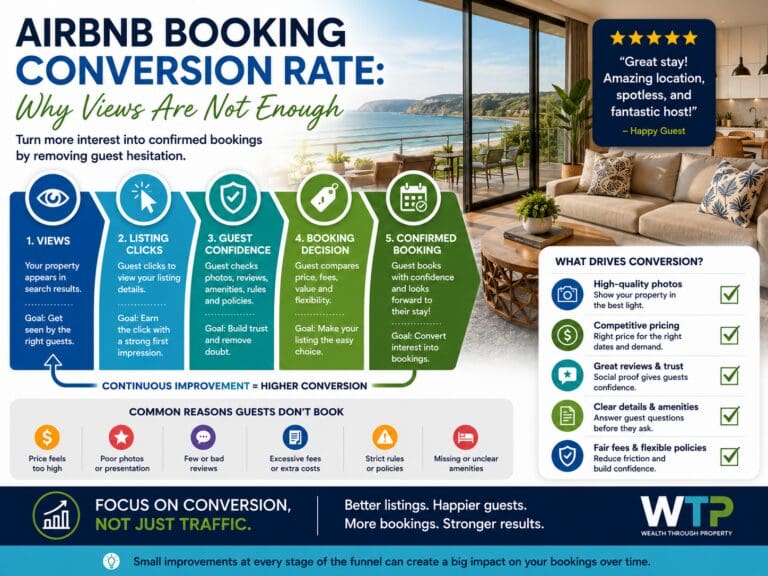
The final part of the stay can affect reviews and future booking confidence. The guide on Airbnb booking conversion rate explains how listing trust and the broader guest experience connect with booking performance.
Choose How Guests Will Access the Manual
The manual should be easy to retrieve before and during the stay. Guests should not need to search through dozens of messages to find the link again.
Common access methods
A direct link in the booking confirmation or pre-arrival message.
A saved link in the property's scheduled guest communication.
A QR code inside the property that points to a stable web address.
A tablet at the property where this suits the operating model.
A short printed card showing how to access the full digital guide.
If a QR code is used, test it regularly and make sure it points to an address that will remain stable when the manual is updated. Avoid linking directly to temporary documents or private editing pages.
Plan for internet problemsCritical arrival and safety information should not depend entirely on the property's Wi-Fi working. Guests should be able to retrieve the essential details before they enter the home.
Review the Manual as Part of Your Operating System
A digital house manual is not a one-time document. Review it whenever an appliance is replaced, an amenity changes, a recurring guest question appears or the property team updates its operating process.
Guest messages and reviews can reveal which sections need work. If guests repeatedly ask the same question, the answer may be missing, difficult to locate, unclear or arriving too late in the guest journey.
Create a simple review schedule
1After a property change: Update the guide whenever equipment, furniture, access or amenities change.
2After repeated questions: Improve any section that is not preventing predictable guest confusion.
3After an incident: Review whether clearer instructions or a process change could reduce the risk of recurrence.
4On a fixed schedule: Check links, contact information, photos and local recommendations every six to twelve months.
Maintain one approved master version so hosts, virtual assistants and property managers do not accidentally send conflicting information. Record the date of the last review and the person responsible for approving changes.
Measure Whether the Manual Is Actually Working
A polished manual is not automatically an effective manual. The most useful test is whether guests can find and follow the information without unnecessary support.
Monitor the questions guests ask before, during and after the stay. Group them into themes such as access, parking, Wi-Fi, heating, television, rubbish or checkout. Repeated questions indicate an opportunity to improve either the manual or the timing of the communication.
Repeated messagesTrack which questions continue to appear after the manual is introduced.
Arrival problemsReview lockouts, parking confusion and difficulty locating the entrance.
Amenity issuesIdentify which appliances or features regularly require host intervention.
Guest feedbackLook for comments about unclear communication, missing information or complicated instructions.
Team consistencyCheck whether every person supporting the property is using the same approved information.
Outdated contentIdentify broken links, old photos, changed contacts and removed amenities.
The aim is not necessarily to eliminate every guest message. Guests may still prefer personal help. The aim is to remove preventable confusion and make support faster when it is needed.
Common Digital House Manual Mistakes
Many house manuals contain useful information but are difficult to use because of how the content is organised or maintained.
1Too much information: Important instructions are buried inside long paragraphs and generic property descriptions.
2Outdated details: Old access methods, contact information or appliance instructions remain published.
3Public security information: Permanent codes or sensitive access details appear in an unrestricted guide.
4Poor mobile layout: Guests need to zoom, download large files or scroll through difficult formatting.
5Conflicting instructions: The listing, guest messages, house rules and manual provide different information.
6Generic recommendations: The local guide lists businesses without explaining why they may suit the guest.
7Excessive checkout tasks: The departure section reads like a cleaning manual rather than a guest checklist.
8No ownership: Nobody is responsible for reviewing and approving updates.
A Practical Airbnb House Manual Audit
Use this audit before publishing a new manual or reviewing an existing one.
Content check
Does the opening confirm the correct property?
Can guests find arrival, Wi-Fi and urgent support information quickly?
Are appliance instructions specific to the equipment at the property?
Are house rules consistent with the listing and booking terms?
Are local recommendations still operating and relevant?
Are checkout requests clear, reasonable and prioritised?
Security and accuracy check
Have permanent access codes and sensitive details been removed from public sections?
Are contact names, telephone numbers and property addresses correct?
Have old appliances, amenities and instructions been removed?
Are temporary maintenance notices being handled separately?
Do links lead to the intended current pages?
Guest usability check
Can the manual be used comfortably on a mobile phone?
Are headings written around real guest questions?
Can guests reach essential sections within a few taps?
Are important images clear and current?
Is there a backup option for guests with limited internet access?
Before publishing, ask someone unfamiliar with the property to use the manual. Their questions will often reveal assumptions the hosting team no longer notices.
Build the Manual Into a Stronger Hosting System
The digital manual should connect with the property's listing, guest messages, cleaner processes, maintenance reporting and review of recurring guest questions. When those parts work together, the manual becomes more than a document. It becomes part of the property's operating system.
Need a clearer short-term rental operating system?Explore practical support for digital manuals, guest communication, property setup, listing optimisation and ongoing Airbnb operations.
What Airbnb Says About House Manuals and Guidebooks
Airbnb has a built-in house manual that only guests with a confirmed reservation can open, and a separate public guidebook for local tips. Use the house manual for property instructions and keep sensitive access details out of the public guidebook. Check Airbnb's current help pages before relying on any detail.
As checked on 28 October 2026, Airbnb states that only guests with a confirmed reservation can access a host's house manual, and hosts add it from the listing editor under Arrival guide.
As checked on 28 October 2026, Airbnb states that host guidebooks are public and everyone can access them on Airbnb, so permanent door, gate or alarm codes do not belong in a guidebook.
As checked on 28 October 2026, Airbnb's Resource Centre guide to house manuals (last updated 7 November 2021) suggests putting the Wi-Fi password first and including parking details and step-by-step appliance instructions.
Check Agreements, Insurance and Local Requirements Separately
A digital house manual can communicate practical instructions and property expectations, but it is not a substitute for appropriate rental terms, insurance, safety procedures or professional advice.
Hosts should confirm that their booking process, rental terms, guest requirements, privacy practices and insurance arrangements suit the property and its location. Relevant platform, strata, council and state requirements should also be checked through current official or professional sources.
When legal wording, liability, surveillance disclosure, accessibility, pool safety, fire safety or other compliance obligations are involved, obtain advice appropriate to the property instead of copying clauses from another host's manual.
FAQs About Airbnb Digital House Manuals
What should be included in an Airbnb digital house manual?
Include a short welcome, pre-arrival guidance, parking, access, Wi-Fi, appliance instructions, amenity information, safety details, house rules, local recommendations, guest support contacts and reasonable checkout instructions.
Should the door code be included in the digital manual?
Sensitive access information should only be shared with the appropriate confirmed guests through a secure process. Avoid placing permanent door, gate or alarm codes in a publicly accessible manual.
Is a digital manual better than a printed manual?
A digital manual is easier to update and can include links, photos and videos. A short printed quick-reference card may still help guests who have limited internet access or difficulty opening the digital version.
How long should an Airbnb house manual be?
It should be long enough to answer important questions but organised so guests can find an answer quickly. Clear headings, simple navigation and short instructions matter more than the total word count.
When should guests receive the house manual?
General information can be shared after booking or during the pre-arrival period. Sensitive access details should be sent separately through an appropriate secure process at the time determined by the property's operating procedure.
Can a QR code be used for the manual?
Yes. A QR code can make the manual easy to open inside the property. It should point to a stable web address, be tested regularly and not expose sensitive booking-specific information.
How often should the manual be reviewed?
Review it whenever property equipment, access processes, amenities, house rules or contact details change. A scheduled review every six to twelve months can also help identify outdated links and instructions.
How can hosts tell whether the manual is working?
Track recurring guest questions, arrival problems, appliance issues and feedback about unclear instructions. If the same question appears repeatedly, improve the relevant content or change when it is sent.
Show 2 more questionsShow fewer questionsShould the manual contain every internal property procedure?
No. Cleaner instructions, maintenance procedures, owner information and internal escalation processes should normally remain in a separate operations guide that is not visible to guests.
Does a house manual replace a rental agreement?
No. A house manual is primarily a guest-information and property-use resource. Obtain appropriate advice about rental terms, insurance, liability, privacy, safety and local compliance requirements.
SL
About the author
Scott Levoune
Founder of Wealth Through Property. Scott built a portfolio of 10 investment properties in 3 years, then built the pricing system that turned his own Airbnb into one of the top earners on the NSW South Coast. He and the team now buy, set up and manage short-stay homes across Australia.
What should be included in an Airbnb digital house manual?
Include a short welcome, pre-arrival guidance, parking, access, Wi-Fi, appliance instructions, amenity information, safety details, house rules, local recommendations, guest support contacts and reasonable checkout instructions.
Should the door code be included in the digital manual?
Sensitive access information should only be shared with the appropriate confirmed guests through a secure process. Avoid placing permanent door, gate or alarm codes in a publicly accessible manual.
Is a digital manual better than a printed manual?
A digital manual is easier to update and can include links, photos and videos. A short printed quick-reference card may still help guests who have limited internet access or difficulty opening the digital version.
How long should an Airbnb house manual be?
It should be long enough to answer important questions but organised so guests can find an answer quickly. Clear headings, simple navigation and short instructions matter more than the total word count.
When should guests receive the house manual?
General information can be shared after booking or during the pre-arrival period. Sensitive access details should be sent separately through an appropriate secure process at the time determined by the property's operating procedure.